How to Job Search Without Your Employer Knowing
By Scout Editorial Team · Published September 1, 2026
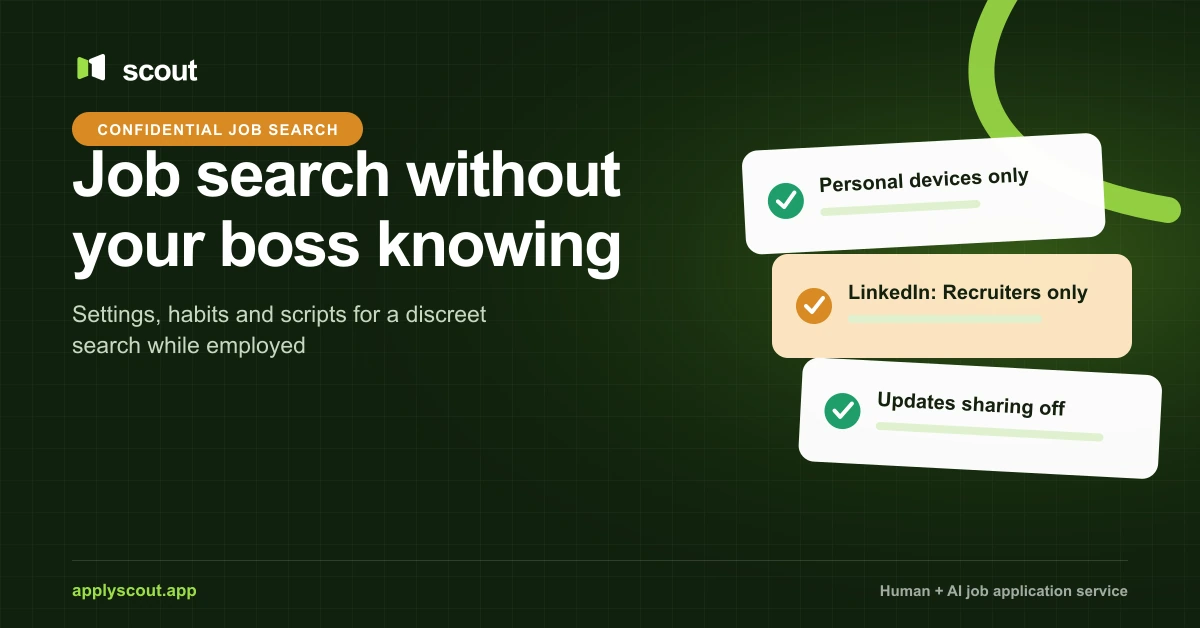
To keep a job search confidential while employed, never use work devices, work email or the company network, set LinkedIn Open to Work to “Recruiters only” and turn off profile update sharing, and ask employers not to contact your current company. None of this makes you invisible. It lowers the odds of an accidental reveal and gives you a calm answer ready if someone asks.
You are not doing anything unusual. In Gallup’s February 2025 report, 51% of US employees were watching for or actively seeking a new job. Discretion is about timing and control, not guilt.
Rule one: keep the search off company equipment
This is the mistake that actually gets people caught, and it is the easiest to avoid.
Employer monitoring is common. In an ExpressVPN survey of 1,500 US employers, commissioned in September 2024 and run with Pollfish, 74% said they use online monitoring tools, 62% log web browsing, and 59% use real-time screen monitoring. Treat those as one vendor’s survey, not a census, but the direction is clear.
Some places require notice. New York’s Civil Rights Law § 52-c makes employers who monitor phone, email or internet use give employees prior written notice when they are hired. In the UK, GOV.UK guidance lists logging email or internet use among the ways employers may monitor staff and says they must make workers aware of it. Notice rules vary, so assume anything on a company device or network can be seen.
Your checklist:
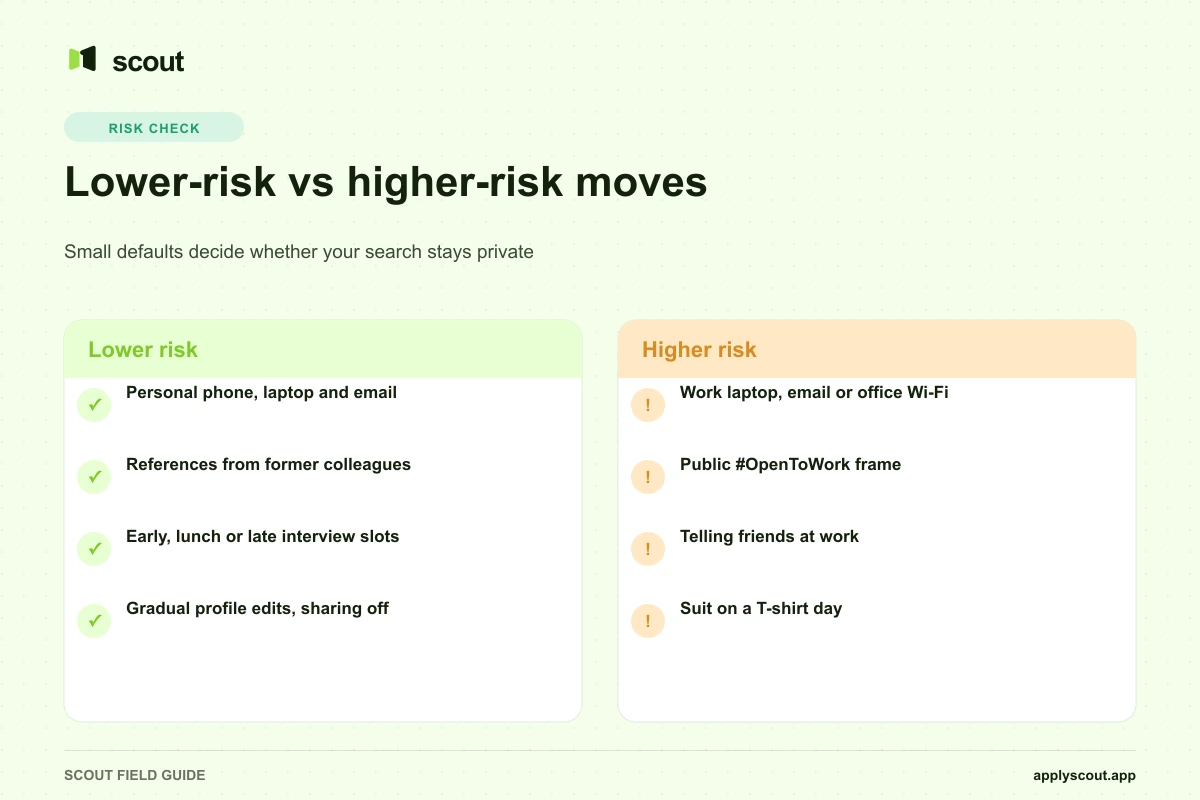
- Use a personal phone and personal laptop for everything search-related.
- Use a personal email address. Update it on your resume and every job board.
- Do not connect personal devices to office Wi-Fi or the company VPN while searching.
- Do not save resumes, offer letters, or interview notes in company cloud drives or chat tools.
- Do not print your resume on the office printer.
- Turn off calendar sync between personal and work calendars, or label interview holds as “Personal.”
- Do not download company documents to use as work samples. Describe the work instead.
Set up LinkedIn carefully
LinkedIn is where most accidental reveals happen, mostly through defaults people forget about.
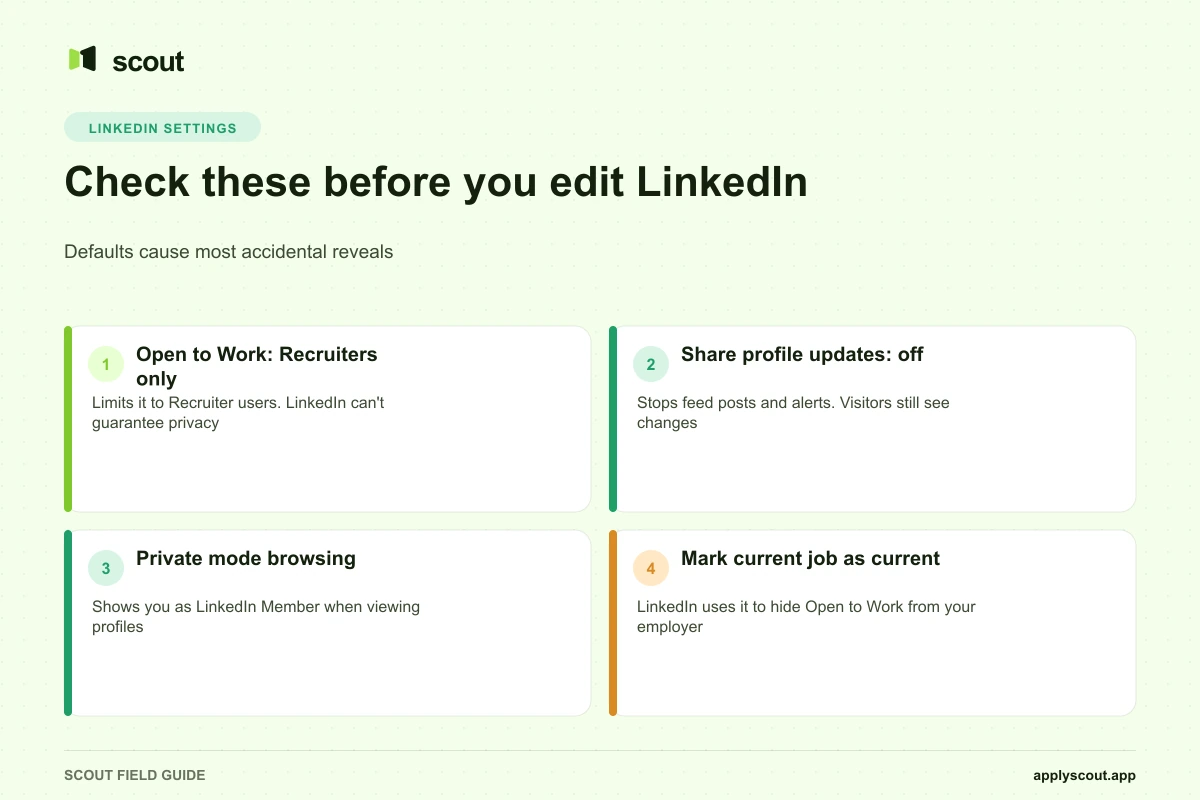
Open to Work: what “Recruiters only” actually does
According to LinkedIn Help, Open to Work has three visibility options:
- All LinkedIn members. Visible to everyone, including recruiters and people at your current company. It also adds the #OpenToWork photo frame.
- Recruiters only. Shown only to people using LinkedIn Recruiter.
- Only you. Your preferences stay private and are used for job recommendations.
For a confidential search, choose Recruiters only. LinkedIn says it takes steps to stop recruiters at your current company from seeing your career interests, and it identifies that company from the job on your profile marked “I am currently working here.” But the same page states plainly that LinkedIn can’t guarantee complete privacy.
What that means in practice:
- If your current job is not marked as current, the filter has nothing to work with.
- An outside recruiter or agency working for your employer is not your employer’s account.
- A colleague who later joins another company and uses Recruiter there could see you.
Use it if inbound recruiter interest is worth that small risk to you. Skip it if your company is small, your industry is tight, or your employer uses external recruiters heavily.
Turn off profile update notifications before you edit
Before you touch your headline or experience, turn off sharing. LinkedIn’s help page on sharing profile updates explains that this setting covers job changes, education changes and work anniversaries, and that it can create a post in your network’s feed, an in-app notification, or an email. Go to Me > Settings & Privacy > Visibility > Share profile updates with your network and switch it off.
This only stops broadcasts. Anyone who visits your profile still sees the changes. Update gradually rather than rewriting everything the week you start applying.
Browse in private mode
When you look at hiring managers or people at target companies, they can see that you viewed them. LinkedIn’s private mode shows you only as “LinkedIn Member” in their Who’s Viewed Your Profile list. The tradeoff on a free Basic account is that you can no longer see who viewed your profile.
Other job boards
Check searchability on every board where you have a resume. Indeed’s privacy FAQ says that when your profile is set so employers can find you, your resume is visible to employers searching on Indeed, and when it is not, it is shared only with employers you apply to. If you are worried about your own company’s HR finding you, set it to not searchable.
Handle references and applications
Ask for confidentiality in writing. Most application forms ask “May we contact your current employer?” Answer no. In cover notes or recruiter calls, say it directly:
I’m currently employed and my search is confidential. Please don’t contact my current employer. I’m happy to provide references from former managers and colleagues, and a current reference once an offer is in place.
Choose references outside your current company. Former managers, ex-colleagues who have left, clients you worked closely with, or a trusted peer who has already moved on. Brief them on the roles you are targeting.
Be thoughtful about who you tell. A friend at work is still at work. The fewer people who know, the less you have to manage.
Watch the small companies and tight industries. If a target company shares investors, board members, or clients with your employer, word can travel. Apply anyway if you want the job, but use a direct contact and ask for discretion.
Interviews during work hours
You will almost certainly need some interview time during the workday. Handle it cleanly.
- Ask for early, lunch, or late slots. Recruiters expect employed candidates to ask.
- Use leave you have. In March 2026, 80% of US private industry workers had access to paid vacation and 51% to paid personal leave, according to BLS. Note that the FLSA does not require paid vacation, so check your own policy.
- Take video calls somewhere private. Not a company meeting room, not on the company laptop, not on a work headset that routes through company software.
- Watch the dress code tell. If you normally wear a T-shirt, showing up in a suit is a signal. Change somewhere else or keep a jacket in the car.
- Batch later rounds. One personal day for a stacked final round is less noticeable than four long lunches.
For a full weekly plan and scripts for scheduling around your job, see how to job search while working full time.
What to say if someone asks
Decide your answer before anyone asks. Then you will not have to improvise.
| Situation | What to say |
|---|---|
| A colleague notices a LinkedIn change | ”Just tidying it up. It was years out of date.” |
| Your manager asks about the time off | ”It’s a personal appointment. I’ve made sure my work is covered.” |
| Someone asks if you’re looking | ”I’m focused on doing a good job here.” Or, if you trust them: “I’m always open to hearing about interesting things, but I’m not going anywhere today.” |
| Your manager asks directly and seriously | ”I’m committed to my work here. If something’s making you ask, I’d like to hear it.” |
| You already have an offer and want to talk | ”I’ve received an offer and want to discuss it with you before I decide.” |
Avoid outright lies you might need to keep up later, like inventing a sick relative. Deflection is fine. Fabrication tends to be what damages trust if the truth comes out.
What happens if your employer finds out
It depends on where you work and your contract. In the US, USA.gov explains that every state except Montana allows at-will employment, which means an employer or employee can end the employment at any time, for any reason, as long as the reason is not illegal, such as discrimination or retaliation for reporting unsafe practices. The Department of Labor notes that outside those protections, termination is generally governed by any private employment contract or union agreement.
In plain terms: in most US states, an employer can legally let you go because you were job hunting. In practice, many employers do not, because replacing a capable person is expensive. More common outcomes:
- Nothing. Your manager may never mention it.
- A conversation. Some managers ask what would make you stay. That can be useful if you have real issues to raise.
- A counteroffer. Think hard before accepting. The reasons you started looking usually still exist.
- Being sidelined. Fewer new projects, a cooler tone. This is the outcome to plan for.
- Termination. Possible in at-will settings, less common. Know your savings runway and your contract’s notice terms.
If you are outside the US or have an employment contract, your notice periods and protections may be very different. Read your contract and, if the stakes are high, speak with an employment lawyer.
Getting help without widening the circle
A confidential search usually means doing everything from your own devices, on your own time, with nobody at work to help. That is why applications pile up. If you want to delegate the application work, pick a setup where you can see exactly what goes out under your name and where nothing gets sent from your work accounts.
Scout’s Human Assistant assigns a dedicated person who finds roles that match your preferences, tailors your resume using your real experience (never invented jobs, skills, projects, or results), and applies for you. You communicate in a private WhatsApp group, and your dashboard shows each job, the resume used, and screenshots of important form answers, so you can check nothing went to a company you excluded. Plans are monthly from $299, cancel anytime, with no placement fee and no percentage of salary. A lower-cost AI Assistant starts at $39 a month. Scout cannot guarantee interviews. Employers decide. See how it works or book a free 15-minute call.
FAQ
Can my employer see that I’m Open to Work on LinkedIn?
With “Recruiters only,” LinkedIn takes steps to hide it from recruiters at your current company but says it can’t guarantee complete privacy. With “All LinkedIn members,” anyone can see it.
Will LinkedIn tell my network when I update my profile?
It can, if “Share profile updates with your network” is on. Turn it off under Settings & Privacy > Visibility before editing. Visitors still see changes.
Can my employer read my work email and browsing history?
Often, yes. Many employers monitor company devices and networks, and some jurisdictions only require notice. Use personal devices, email and internet for your search.
Can I be fired for looking for another job?
In US at-will states, an employer can generally end employment for any reason that is not illegal, and looking for a job is not a protected reason. Montana and employment contracts are exceptions.
Should I tell my boss I’m looking?
Usually not until you have an offer. The exception is a strong, trusting relationship where your manager can realistically fix what is pushing you out.
How do I give references without tipping off my employer?
Use former managers and colleagues who have left. Ask new employers in writing not to contact your current company until after an offer.
A careful search is mostly a set of small defaults. Set them once, then spend your energy on the roles worth leaving for.