Is Using a Job Application Bot Safe? An Honest 2026 Guide
By Scout Editorial Team · Published June 14, 2026 · Updated August 21, 2026
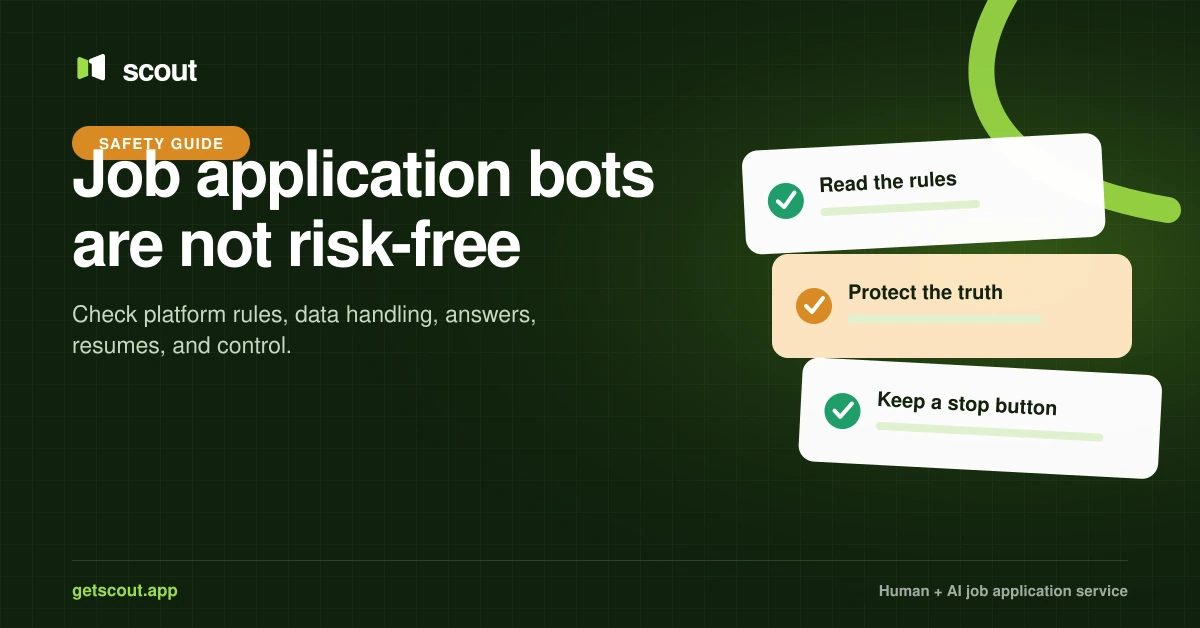
A job application bot is not automatically safe. Risk depends on where it operates, whether the platform permits automation, how it handles credentials and personal data, whether it invents answers, and whether you can review and stop submissions.
Slower pacing and tailored materials may improve application quality, but they do not override a platform’s terms. LinkedIn and Indeed both publish restrictions on third-party automated activity. No service should promise that automation can never lead to restrictions.
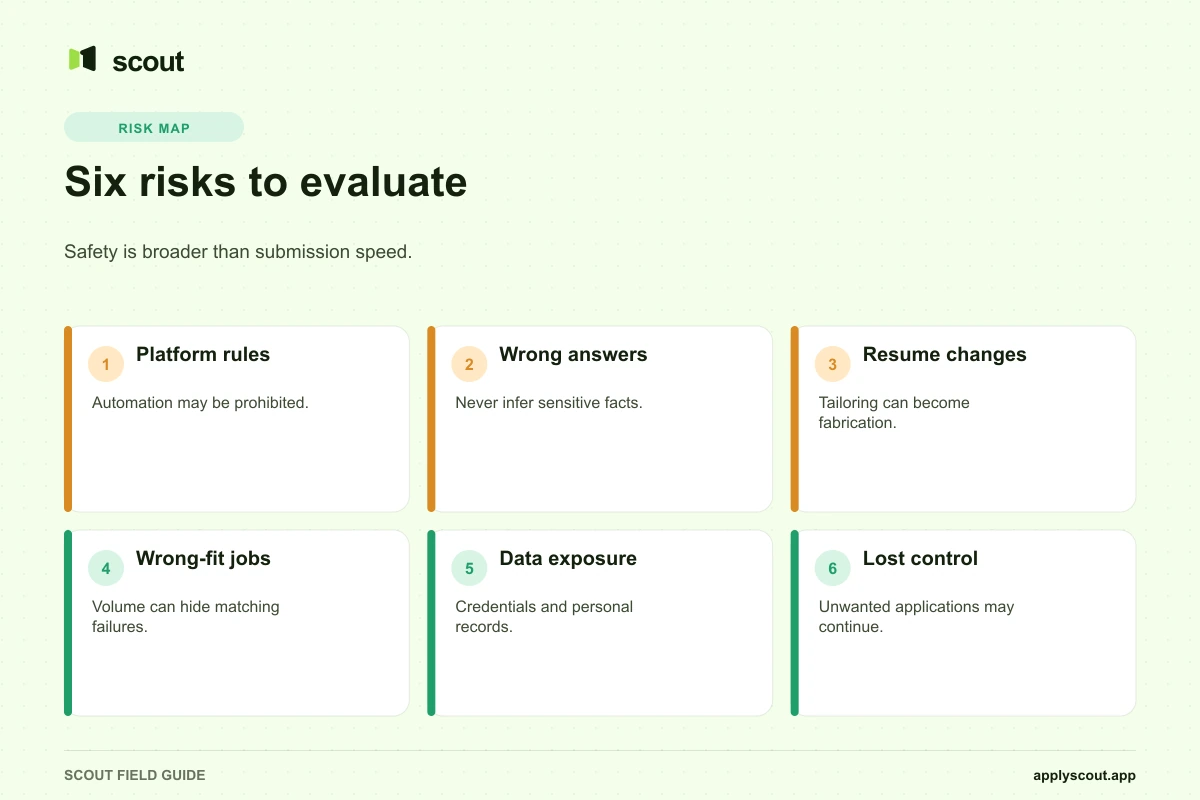
The six main risks
1. Platform restrictions
Each job board, professional network, and employer career site sets its own rules.
LinkedIn says it does not permit third-party software—including bots, browser plug-ins, or extensions—that scrapes, modifies, or automates activity on its website. It warns that members using prohibited tools risk account restriction or closure.
Indeed’s Jobseeker Guidelines say not to use third-party bots or other automated tools to apply for jobs and note that it may limit daily applications.
Read the current rules for the sites involved. Ask a service whether it uses your account on a job board, works on an employer’s career site, or submits through another supported workflow.
2. Incorrect or invented answers
An application can create a permanent record with an employer. False answers about years of experience, work authorization, clearance, location, salary, degrees, or certifications may surface in an interview or background check.
A safe workflow should use approved source information and pause when the answer is not clear. “The model was confident” is not evidence.
3. Unauthorized resume changes
Tailoring can become fabrication if a system adds skills, changes titles, rewrites dates, or inflates metrics. Preserve the original resume, tailor only copies, and retain the exact version used for every job.
The candidate should be able to correct a factual error once and prevent it from spreading.
4. Wrong-fit and duplicate applications
High-volume tools can apply to adjacent titles, incorrect seniority levels, unsuitable locations, or the same requisition found through multiple sources. Use separate controls to stop wrong-fit applications and prevent duplicate job applications.
Use hard filters, excluded employers, normalized job records, and an approval mode while testing the service. Also account for referrals and applications submitted outside the tool.
5. Credential and personal-data exposure
Applications contain sensitive data: address, phone, work history, immigration status, demographic choices, and sometimes account credentials.
Before using a service, check:
- What credentials it requests.
- Whether multi-factor authentication is supported.
- Where resumes and answers are stored.
- Which employees or contractors can access them.
- How to export and delete the data.
- What happens when the subscription ends.
- Whether the privacy policy names subprocessors and retention periods.
Do not reuse an important password for employer career-site accounts.
6. Loss of campaign control
A system that cannot pause quickly can continue sending applications after your goals change, after you accept an offer, or while you are already interviewing with a company.
Look for a visible activity log, status controls, company blocklists, and an immediate pause function.
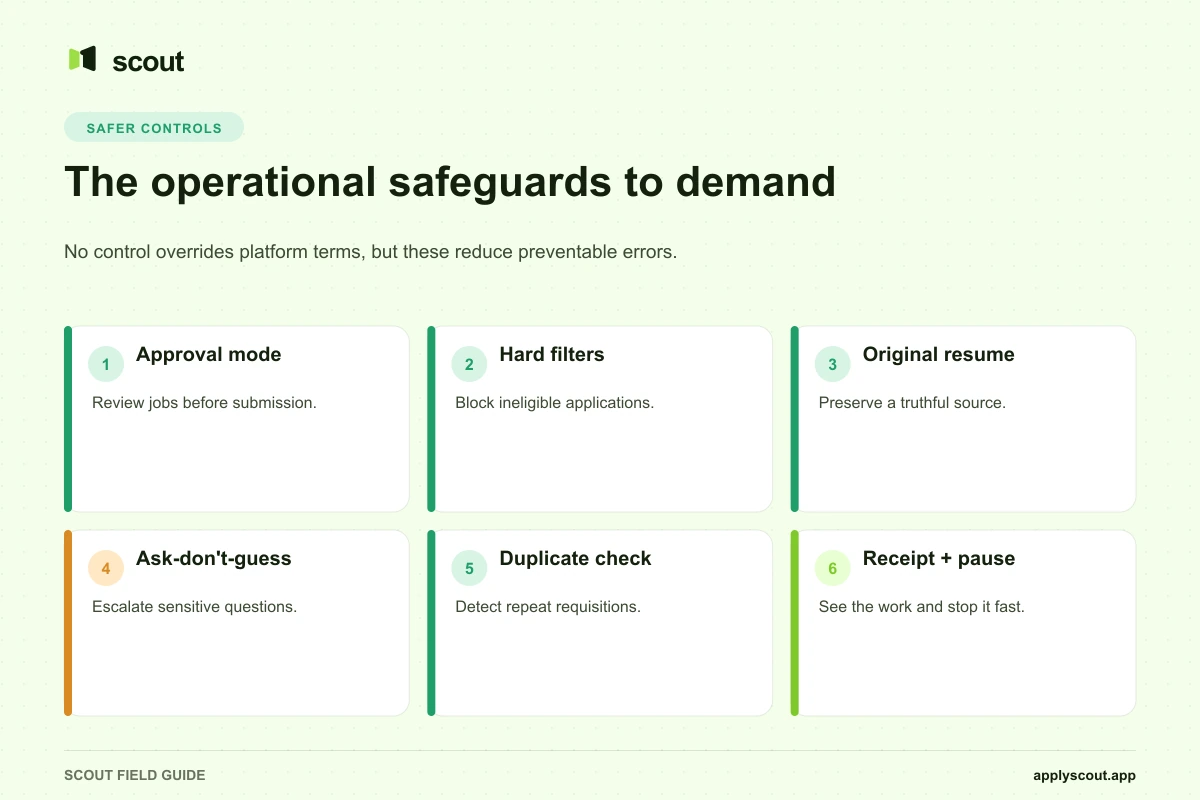
What safer application assistance looks like
No checklist can make prohibited platform automation permitted, but these controls reduce operational errors:
| Control | Risk reduced |
|---|---|
| Approve-every-job mode | Wrong-fit applications |
| Narrow job profiles | Title, location, and seniority drift |
| Hard eligibility filters | Sponsorship, clearance, and license errors |
| Immutable original resume | Unauthorized factual changes |
| Version history | Uncertainty about what an employer received |
| Ask-don’t-guess queue | Sensitive-answer errors |
| Duplicate detection | Repeat applications |
| Submission receipts | Missing accountability |
| Immediate pause | Continued unwanted activity |
| Human escalation | Edge cases the system cannot resolve |
Human assistant versus bot
A human service is not automatically safe either. People can misunderstand criteria, change documents incorrectly, or submit duplicates. The advantage is judgment and direct communication—if the service provides a disciplined process.
Scout’s Human Assistant uses a dedicated WhatsApp group and provides detailed application evidence. The AI Assistant offers a lower-cost automated lane and records the job, status, and resume used. The appropriate lane depends on the complexity of the search and the amount of evidence you need.
Questions to ask before using any service
- Which sites and workflows are supported?
- Do any of those sites prohibit the method used?
- Will the service access my personal job-board account?
- Can I approve every job before submission?
- What information is never inferred?
- Is my original resume preserved?
- Can I see the version sent to each employer?
- How are duplicates detected?
- What proof is saved?
- Can I pause immediately?
- How can I export and delete my information?
- What correction or replacement policy applies after an error?
Warning signs
- “Guaranteed safe” or “undetectable” automation.
- Thousands of applications per day.
- No explanation of platform rules.
- No way to see jobs before or after submission.
- Resume changes without version history.
- No policy for sensitive questions.
- Shared or insecure credential handling.
- Interview or job guarantees without clear eligibility terms.
- Application totals presented as the only success metric.
Bottom line
Job application bots can save time, but they introduce platform, accuracy, privacy, and reputation risks. Responsible use begins with understanding the terms of each site. It then requires truthful source data, narrow targeting, review options, resume version control, sensitive-answer escalation, duplicate prevention, and reliable evidence.
The safest claim any provider can make is not “nothing can go wrong.” It is that the service makes its rules visible, limits what it guesses, records what it does, and gives the customer a fast way to intervene.
Read Scout’s current safety approach and service comparison before choosing an execution lane.
Sources and methodology
This guide was updated on July 16, 2026. Platform-policy statements were checked against:
- LinkedIn User Agreement.
- LinkedIn prohibited software and extensions.
- Indeed Jobseeker Guidelines.
- EEOC discussion of voluntary applicant demographic data.
Policies and laws can change and may differ by jurisdiction. This article is general product-safety information, not legal advice.